What is this session about?
Python is a way to give your computer a precise list of instructions. The computer follows those instructions fast, accurately, and without complaints — for 10,000 files or 1,000 spreadsheet rows just as easily as for 1.
This session teaches the core building blocks of Python through four tasks that are genuinely boring and slow to do by hand. Each task is chosen because it is time-consuming, error-prone, and something almost everyone runs into — but also something a chatbot cannot easily help with, since your files and spreadsheets stay on your own computer.
Why not just ask ChatGPT or Claude? You could — for some of these. But your files are on your computer. Uploading sensitive spreadsheets or contracts to an AI raises real privacy concerns. Running Python locally means your data never leaves your machine.
What you'll learn
Python concepts are introduced in layers — each task adds one more. By the end you'll have working code and the vocabulary to keep going on your own.
- Variables, constants, keywords & operators The smallest units of Python — how to store values, do arithmetic, compare things, and work with text.
- Data structures How Python organises collections of data: lists, tuples, dictionaries, and sets — and when to use each one.
-
Logic & control flow
How to make decisions with
if/else, repeat actions withforandwhileloops, and handle errors withtry/except. - Functions How to write reusable, named blocks of code with parameters and return values — so you write logic once and call it anywhere.
- Classes How to group related data and operations under one roof, and chain methods together into a readable pipeline.
The four tasks
Every task is boring, slow, and error-prone when done by hand. That's exactly why Python helps — and why these make good teaching material.
Smart File Organizer
Filter files by prefix, suffix, or pattern — then sort them into folders automatically. Change one constant and the rule applies to all 500 files instantly.
PDF Toolkit
Merge a folder of PDFs, extract a page range, or split a document into individual pages. No uploads, no subscriptions — your documents stay private.
Data Cleaning & Analysis
Fix every common spreadsheet mess automatically: inconsistent capitalisation, trailing spaces, mixed date formats, missing values, duplicates. Then combine dozens of files, summarise by group, and generate charts.
Change Tracker
Compare last week's dataset with this week's. Instantly see which rows were added, which were removed, and which values changed.
Session notebook
Everything runs in Google Colab — a free Python environment in your browser. All you need is a Google account. The notebook contains all the code, explanations, and exercises for the session. A setup cell at the top automatically downloads all sample data files — no manual uploading needed.
Open notebook in Google Colab →
Or view the source on GitHub →
How to run a cell: click it, then press Shift + Enter. You don't need to type anything from scratch — read, run, and tweak.
Scan to open on your phone
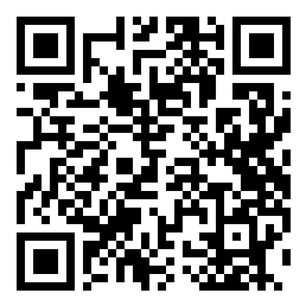
Scan to open this workshop page on your device — notebook link, handout, and resources all in one place.
Handout
A one-page cheat sheet with all the key functions, patterns, and error messages from today. Keep it open during the session or save it for later.
Resources to keep
Session Notebook
All the code from today — open in Colab, keep it, modify it
Quick Reference Handout
Key functions, patterns, and error messages — one page
Installing Python locally
Step-by-step guide for Windows, Mac, and Linux — realpython.com
pandas documentation
Reference for everything in the data analysis section
Python for Everybody — Coursera
Free to audit — good structured follow-up after today
Stanford's CodeInPlace Initiative
Learn coding with a group and a mentor
r/learnpython
Friendly community — paste your error, get a human answer